01
Ask for a decision, not just an opinion.
Before sharing a gallery, decide what you need from the client. A shortlist for retouching is different from an album selection or feedback on a finished set.
Give them a number to aim for, a deadline, and a short explanation of the next step. The gallery becomes easier to use when the task is clear.
02
Use tags to make the shortlist visible.
Tags can group photographs and mark favorites. The client can filter the gallery to review a category instead of searching through the full set again.
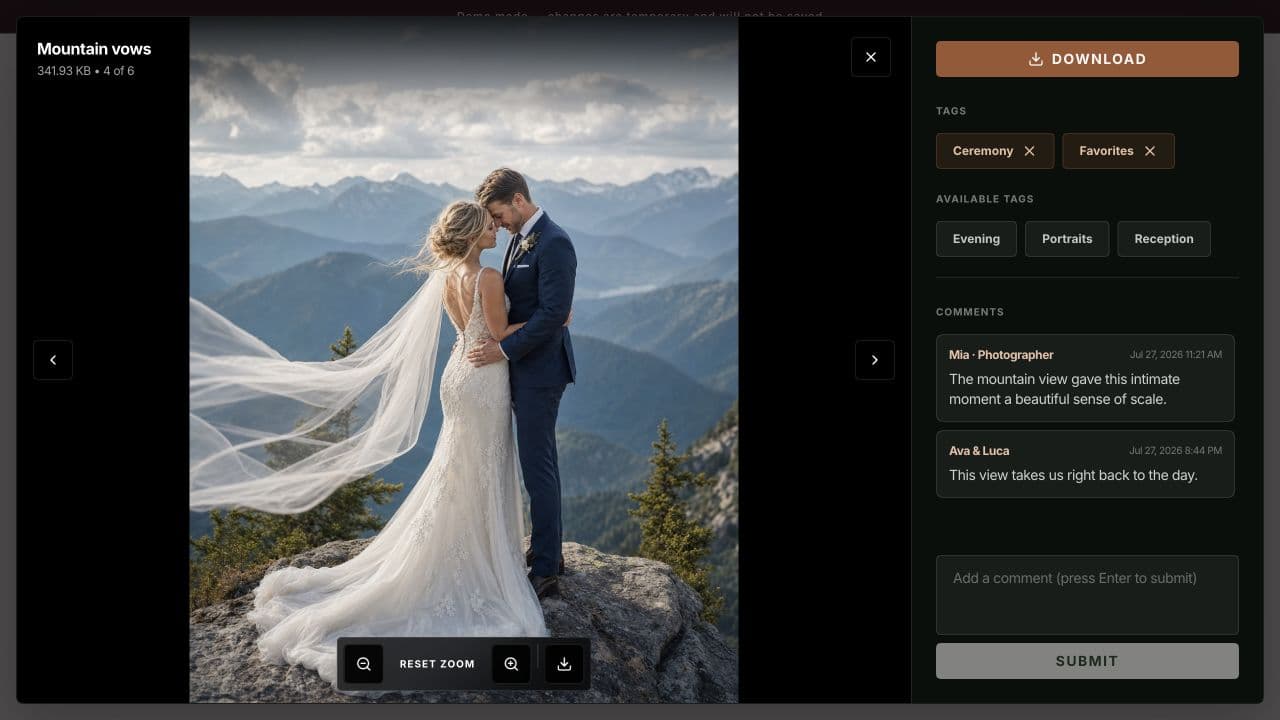
Agree on what a tag means before the review starts. For example, a Favorites tag might mean “include this in the shortlist,” while a comment explains a specific request.
- Keep your selection labels simple.
- Use one agreed tag for the final shortlist.
- Review the tagged set together before starting the next stage.
03
Make a comment useful to the next person.
The photo viewer keeps the discussion beside the image. A client can point out which expression they prefer or leave a request about a particular frame.
Ask for specific comments. “Use this one for the album cover” is easier to act on than “love these.” If several people are reviewing, agree who will approve the final selection.
04
Close the loop before more editing.
Once the client has reviewed the gallery, confirm the chosen photographs and the scope of the next step. A clear confirmation avoids two versions of the shortlist.
Gallerif helps keep the feedback organized. Your brief, deadline, and final agreement still give the selection its meaning.
A few useful answers
How does the client select a photo?
In the demo, open a photograph to see its tags and comments. The gallery also has tag filters for reviewing a selected group.
Does this replace my editing software?
No. The gallery is the place to present photographs and collect feedback. Retouching and final exports remain part of your editing workflow.